
Video Downloader & Fast safe
Gang Peng dev.Video Players & Editors
4.04.00 Reviews
- Version
- 1.0.8
- Installs
- 100.00K
- Age Rating
- Everyone
Screenshots
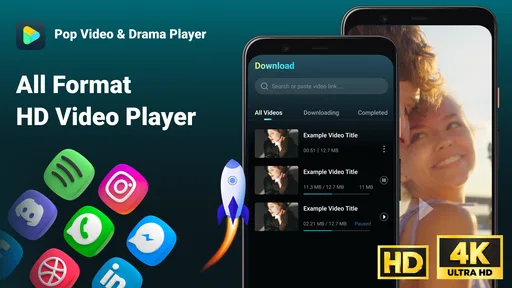
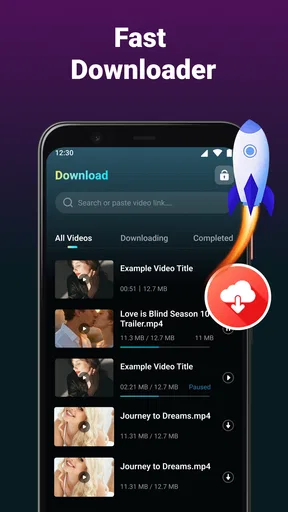

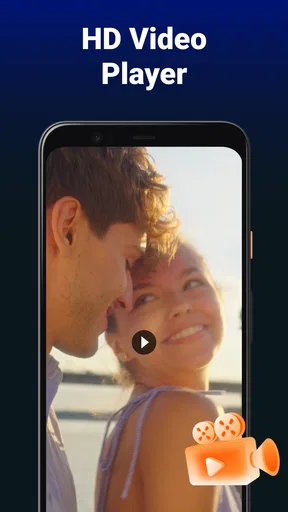
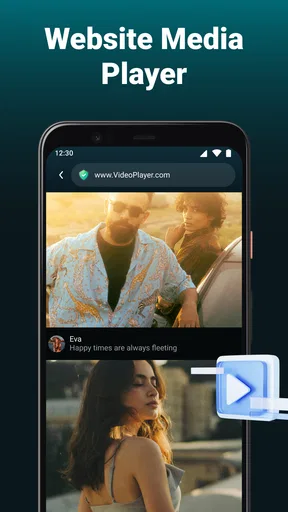
Our Review of Video Downloader & Fast safe
 Analysis by Appyee
I approached Video Downloader & Fast safe as a practical tool rather than a full video-editing suite. Its purpose is straightforward: it parses video links, lets you save media locally, and gives you a way to watch short dramas when the files are already on your device. That focus makes the app easy to understand, but it also means the quality of the experience depends heavily on the link you start with, the network you are using, and how much control you expect from a downloader.
The app sits in the video players and editors category, although I would personally think of it more as a link-based video utility than an editor. It is free to use, aimed at Everyone, and comes from Gang Peng dev. The public response is modest but encouraging: it holds a 4.0 average from around eighty ratings, with over one hundred thousand installs. Its current release is version 1.0.8, and it runs on Android 7.0 or later.
How the app behaves when the connection is doing the hard work
The first thing I noticed is that the app’s central workflow begins outside the player itself. You need a video link, and the application then attempts to parse that address before offering a way to save the media. This is an important distinction from a streaming app, where the service controls the catalog and playback path. Here, the link is the starting point, so the experience can change depending on where that link comes from and how accessible it is at that moment.
When the connection is stable, the process feels pleasantly direct. I can imagine copying a link from a browser, opening the downloader, pasting it, and waiting for the app to interpret it. That is a more focused workflow than moving through several menus in a general-purpose video application. For someone collecting short dramas to watch during a commute, the appeal is obvious: prepare the files while the connection is available, then use the local copies later.
That convenience should not be confused with universal compatibility. A link is not automatically the same thing as a downloadable video file. Some pages may contain several media elements, redirect through another page, or require a service to handle playback in a particular way. In those situations, the parsing step becomes the deciding factor. I would treat the app as a useful link parser with a local playback purpose, not as a guaranteed solution for every video address on the internet.
A practical habit helps here. I would test one or two links from the source I use most often before planning a large download session. If those links are recognized cleanly, the app may fit that particular routine. If the result is inconsistent, switching between many pages will probably create more frustration than convenience. This small trial is more useful than judging the app only by its name or by the simplicity of its store description.
Network quality also affects the time before playback. Parsing needs a working connection, and saving a file obviously requires the media to transfer successfully. A weak signal can make a simple action feel stalled, especially when a page loads but the actual media cannot be identified. I prefer to begin downloads when the connection is steady rather than repeatedly tapping the same control and creating uncertainty about whether the request is still active.
The app’s value becomes clearer when I separate preparation from viewing. The network-dependent part is finding and saving the content. The local-player part begins only after that preparation has succeeded. That division is helpful because it gives the user a clear mental model: connectivity is needed to acquire the media, while the saved file is the thing intended for later viewing.
Where it fits into everyday mobile routines
On a phone, the strongest use case is not casual browsing. It is planned viewing. Imagine leaving home for a long bus ride and knowing that the route includes unreliable reception. Before leaving, I would use a dependable connection to parse a short-drama link and save the episode. Later, instead of repeatedly waiting for a stream to buffer, I could open the local copy and watch it as a normal video.
This kind of routine is also useful in places where mobile coverage changes from one minute to the next. A train journey, a waiting room with congested public Wi-Fi, or a hotel with an unstable connection can turn online playback into a sequence of pauses. Preparing media in advance removes that particular network problem. The important point is that the app is most helpful when I plan ahead; it is less impressive if I expect it to rescue a video after the connection has already disappeared.
I would also use it selectively rather than treating it as a permanent replacement for every streaming service. Short dramas are a natural match because individual episodes are easier to organize around a trip or a break. Saving a small set of videos also makes it easier to decide what I actually want to watch. Instead of opening a service and spending the first ten minutes searching, I can keep a prepared group of files for a specific situation.
There is a trade-off on smaller phones. Local files consume storage, and a downloader can make it tempting to save more than I will realistically watch. I recommend keeping only the next few videos needed for a journey and removing them afterward. This is not just tidier; it reduces the chance that a nearly full device will affect other everyday tasks such as taking photos or installing updates.
Another useful mobile habit is to give each download a moment of attention before leaving the network. I would open the saved file, check that it starts, and confirm that the expected video is present. A file that appears to have saved but fails at playback is not useful once I am offline. This quick check is one of the most valuable steps in the whole workflow, yet it is easy to skip when preparing several links in a hurry.
The app is less suitable for people who want a polished library with automatic recommendations, synchronized viewing history, or a broad catalog inside the same application. Its role is narrower. I see it as a bridge between a video link and a locally available file. If I wanted discovery, subscriptions, casting, or a richer media-management system, I would look at a conventional streaming or library app instead.
What happens when parsing or saving goes wrong
Every downloader needs a sensible way to deal with failure, and this is where I would keep my expectations practical. A failed parse does not necessarily mean the phone, the network, or the app is broken. It may simply mean that the address does not expose media in a form the parser can use. The first recovery step should be to copy the link again and make sure it is the actual video page rather than a search result, redirect, or shortened address.
If the same link fails repeatedly, I would avoid endlessly retrying it. Instead, I would open the source in a browser, wait for the page to load fully, and copy the address from there. That workflow can remove an accidental partial link or a temporary redirect. If another link from the same source works, the problem is probably specific to that page. If none work, I would test the connection and try again later rather than assuming every video is supported.
Interrupted saving is a different problem. A weak connection can stop a transfer midway, and repeating the action immediately may not help if the signal is still unstable. I would move to a stronger connection, start one file rather than several, and verify the result before continuing. This one-at-a-time approach is slower on paper but easier to diagnose. When multiple downloads fail together, it becomes difficult to tell whether the issue is the link, the network, or the individual file.
File organization matters during recovery too. If a failed attempt leaves a confusing duplicate or an incomplete-looking item, I would remove the unusable copy before trying again. Keeping several similarly named files makes it harder to know which one is safe to play, particularly when preparing content for a trip. The app’s usefulness depends not only on obtaining media but also on recognizing which saved item is ready for viewing.
I would not judge the application solely by whether every link succeeds. Link-based tools operate in a changing environment, and pages can behave differently even when they look similar. The more meaningful test is whether the app gives me a repeatable path for the links I actually use. That is why a small personal compatibility check is more valuable than a promise that sounds universal.
There is also a privacy and safety angle to recovery. I would stay with links from sources I trust and avoid downloading files from pages that look suspicious or ask for unrelated actions. A downloader can make saving media feel routine, but the original source still matters. The app should not be treated as a filter that makes every online video safe simply because it can parse the address.
Using it without wasting mobile data
For me, the best data-conscious strategy is simple: use the app as a preparation tool, not as something to operate casually whenever I am bored. I would save videos when connected to a reliable Wi-Fi network, then watch the local versions later. That separates the transfer cost from the viewing session and avoids repeatedly streaming the same episode every time I want to watch a scene again.
I would also avoid starting a batch just because several links are available. First I would decide what I am likely to watch, then save only that group. This matters on phones with limited storage or mobile plans where a large transfer can become expensive. A short-drama viewer may benefit from a small rotating collection rather than a permanent archive that grows without a clear purpose.
Another practical tip is to check the saved result before deleting the original link or leaving the network. Opening the file confirms more than its existence. It tells me whether the media begins properly and whether the intended episode was obtained. If something is wrong, I still have the connection available to repeat the process or find another source.
I would be cautious about assuming that every saved item will be identical in size or playback behavior. The app’s store positioning emphasizes links, local saving, and short-drama viewing, but the original page and media can still influence the final result. That is why I would plan storage with some room left rather than filling the phone to its limit. A little spare capacity makes failed attempts and ordinary phone use easier to manage.
For families, the Everyone age rating makes the app broadly approachable, but that does not mean every linked video is suitable for every viewer. The rating describes the application’s audience, while the content comes from the links a person chooses to process. I would still supervise what younger users save and watch, especially if the phone is shared.
The free price lowers the barrier to trying it, which I appreciate for a narrowly focused utility. It also makes a short test worthwhile: use a familiar link, save one video, close the connection, and see whether the local viewing routine suits you. If that sequence works smoothly, the app can earn a place in a travel or commuting setup without requiring a major commitment.
How it compares with the usual alternatives
Compared with ordinary streaming apps, Video Downloader & Fast safe offers a different kind of control. Streaming is usually better for discovery, instant access, and keeping content inside a managed service. The downloader is more appealing when I already have a specific link and want a local copy for later viewing. Neither approach wins in every situation; the right choice depends on whether I am searching for something new or preparing something I have already found.
Compared with a general file manager, this app has a more focused starting point because it is built around parsing video links and watching the resulting media. A file manager may be better for moving, renaming, or sorting many kinds of files, but it does not necessarily make the link-to-video step as central. I would use the downloader for acquisition and a broader file tool when I need more extensive organization.
Compared with a full video editor, the difference is even clearer. Editors are designed for trimming, combining, adding effects, or changing a project. This application is not the one I would choose for creative production. Its strength is reducing the distance between an online video address and a locally playable file. Someone looking for timelines, filters, captions, or export controls should choose a dedicated editor instead.
There is also a middle ground involving browser-based saving tools. Those can be convenient when I only need a one-off action, but an installed app may feel more consistent for a repeated mobile routine. On the other hand, a browser may be preferable when I do not want another application involved or when the source page already provides its own legitimate saving option. I would choose this app when its parsing workflow works reliably with my regular links, not simply because it is available.
The developer, Gang Peng dev., has kept the concept compact enough that the app is easy to understand. That simplicity is a benefit for occasional users, but it also means experienced users should not expect the depth of a complete media manager. My recommendation depends on the job: for a handful of short dramas prepared before a trip, it makes sense; for a large, carefully cataloged video collection, another tool would likely be more comfortable.
My connectivity verdict
After looking at the whole workflow, I see Video Downloader & Fast safe as a practical companion for people who already know what they want to watch. Its best moment is the handoff from a usable link to a locally saved video, especially when I prepare that handoff before entering an area with poor reception. The app does not need to be a complete entertainment platform to be useful; it needs to make that specific routine uncomplicated.
I would recommend it to a commuter, traveler, or short-drama viewer who is comfortable copying links and checking files before going offline. The free price and broad age rating make experimentation easy, while the current version 1.0.8 shows that the app is being presented as a defined utility rather than an enormous media ecosystem. Its 4.0 average suggests a generally positive reception, though I would still test the sources I care about personally.
I would skip it if my priority is instant streaming, automatic recommendations, advanced editing, or a polished personal library. I would also avoid depending on it for an urgent offline situation without preparing and testing the files first. The central limitation is not complicated: the app cannot make an unsuitable link reliable, and a weak connection can still interrupt the acquisition stage.
My final advice is to begin with one familiar video, use a stable connection, open the saved result, and only then build a larger collection. That approach exposes the app’s real strengths and its practical boundaries quickly. The smartest way to use this downloader is to let the network handle preparation once, then let local playback handle the viewing afterward.
Verdict
Strengths of Video Downloader & Fast safe
- Supports fast downloads for videos from multiple sources.
- Simple interface makes saving videos quick and easy.
- Download progress is clearly displayed in real time.
- Useful for watching saved videos without an internet connection.
- Offers convenient file management within the app.
Limitations of Video Downloader & Fast safe
- Some websites or video formats may not be supported.
- Download speed depends heavily on your internet connection.
- The app may display ads during regular use.
- Downloaded files can consume storage space quickly.
- Copyright restrictions may apply to saved videos.
Similar Picks in This Category
View All
Google TV
Google LLC3.9

iTunes
Apple4.7

YouTube
Google LLC3.8

MX Player
Amazon Mobile LLC4.2

CapCut - Video Editor
Bytedance Pte. Ltd.3.5

PLAYit-All in One Video Player
PLAYIT TECHNOLOGY PTE. LTD.4.5
Frequently Asked Questions
What is Video Downloader & Fast safe used for?
Video Downloader & Fast safe is designed to help users save online videos to their device for later viewing. Depending on the source website and supported format, you can paste a video link, choose available download options, and manage saved files from within the app. Its usefulness depends on which platforms are currently supported and whether the content owner permits downloading.
Is Video Downloader & Fast safe free to download and use?
The application can generally be downloaded without an upfront purchase, but the available features may vary depending on the version, region, and platform. Free use may include advertisements, optional purchases, or limitations on download speed and simultaneous files. Before downloading, check the store listing carefully for subscriptions, in-app purchases, and any conditions connected with premium tools.
Can I download videos from every website with Video Downloader & Fast safe?
No downloader can guarantee compatibility with every website. Video Downloader & Fast safe may work with certain publicly available video pages, while services using encryption, private accounts, DRM protection, or strict download restrictions may not be supported. Compatibility can also change when websites update their systems, so users should check the app’s current supported services and respect each platform’s terms.
Where are downloaded videos stored, and can I watch them offline?
Downloaded files are usually placed in the application’s download section or in a media folder selected through the device’s storage settings. Once a video has been saved successfully, it may be available for offline playback, provided it is stored in a compatible format and has not been removed. Android and iOS may handle file access differently because of their separate storage and permission systems.
Is it legal and safe to download videos with this app?
The app itself may provide a convenient way to save publicly accessible media, but legality depends on the video’s copyright status, the website’s rules, and how the downloaded file is used. Download only content you own, have permission to save, or that is clearly offered for offline use. Also review requested permissions, avoid suspicious links, and keep the app updated for a safer experience.
